

Best App to Stop Doomscrolling
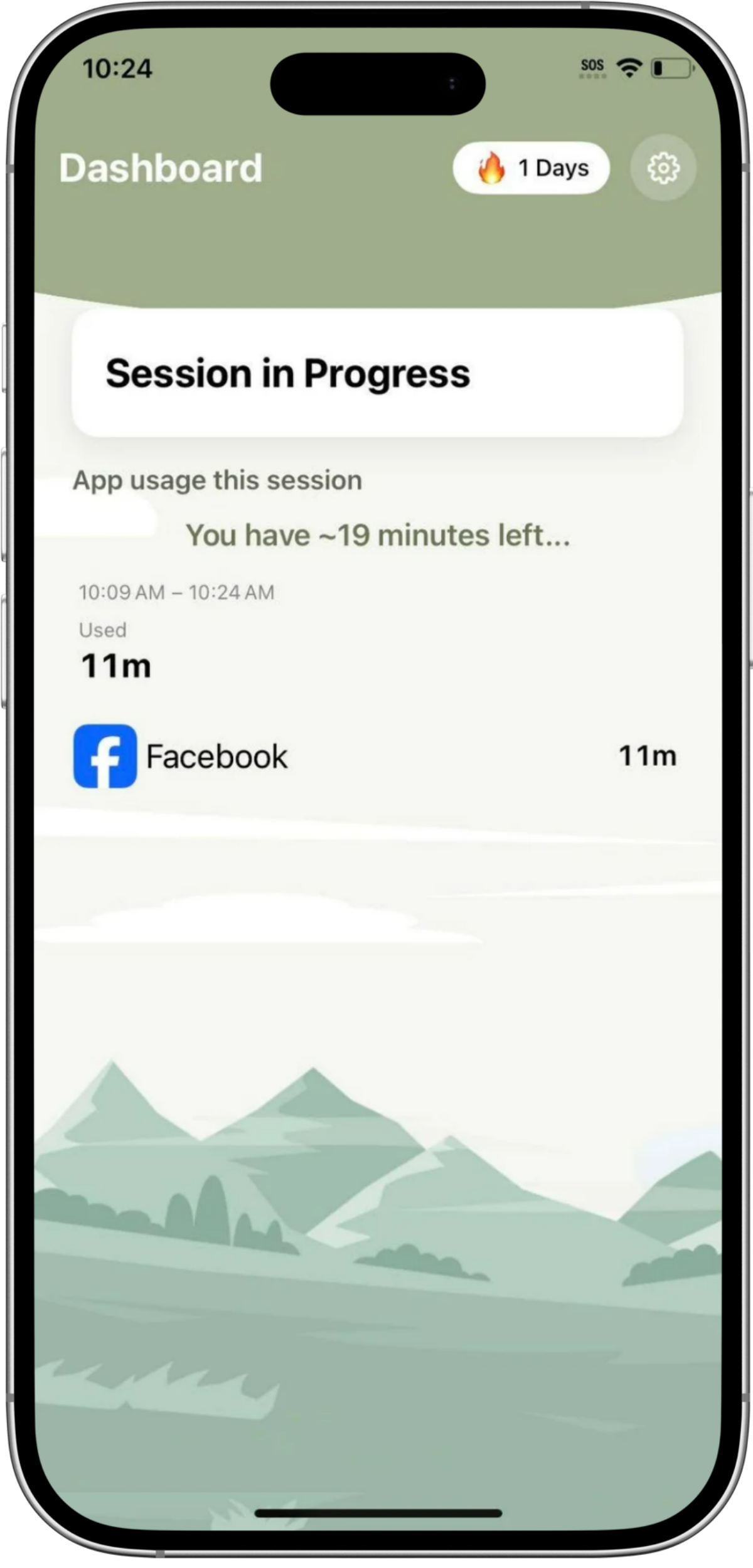
The best app to stop doomscrolling is Paced. Paced lets you use the apps you choose for 30 minutes, then gives you a 60-minute break before your next session. There are no hard lockouts, ever, and walking is optional: 100 steps takes 3 minutes off your break. It is built for adults who want their time back without being punished by their own phone.
Doomscrolling is rarely a willpower problem. Feeds are designed to keep going, so a short check turns into an hour. Paced changes the rhythm instead of blaming you. You still get your apps, in real sessions, with real breaks in between.
★★★★★ 5.0 stars, 8 real reviews, Google Play and the App Store. Read the reviews
Free to download, start free on Android and iPhone. No credit card required.
In the press: La Presse · MobileSyrup · CTV News · My Lloydminster Now. See the media coverage
Get Paced free on Google Play Get Paced free on the App Store
Free to download. No credit card required. Available on iPhone and Android. Your time, your pace.
How does Paced stop doomscrolling?
Use your apps for 30 minutes, then take a 60-minute break. No hard lockouts, ever. Walking is optional, 100 steps takes 3 minutes off your break.
1. Use your apps for 30 minutes
Pick the apps that pull you in, like Instagram, TikTok, YouTube or the news. Use them normally for a 30-minute session. No pause before you open, no pushups, no test to pass.
2. WAIT: take a 60-minute break
When the session ends, a 60-minute cooldown begins. Most people simply wait it out. Put the phone down, live your life, and your next session is ready when the timer ends. The wait is the whole point.
3. WALK: shorten the break, only if you want
Prefer to move? Walking can shorten your break, 100 steps takes 3 minutes off it. Walking is a choice, not a toll. If you do not walk, the break still ends and you get a fresh 30 minutes.
Paced Pro adds unlimited app groups, custom session and cooldown timers, smart scheduling for work days and weekends, and advanced analytics. Pro is $9.99 CAD per month or $49.99 CAD per year, with a 7-day free trial.
Can you stop doomscrolling without an app?
Yes, you can start today, with or without an app. Paced just makes the rhythm automatic.
- Notice the reflex open. Catch the moment your hand opens a feed without you deciding to. Name it: bored, tired, avoiding the next thing. There is no shame in the reflex, feeds were built to trigger it.
- Take a real break. Put the phone down, not a switch to another feed. Walk, make tea, look out a window, be bored for a bit.
- Make the next open a choice. Go back on purpose, for a set time and a reason. 30 minutes, then stop.
That is exactly the rhythm Paced runs for you: 30 minutes on, 60 minutes off, no hard lockouts.
How do Paced, Opal, one sec and ScreenZen compare?
All four apps can help. They work in different ways, and the right one depends on whether you want a break, a block, or a pause before an app opens.
| Paced | Opal | one sec | ScreenZen | |
|---|---|---|---|---|
| How it stops doomscrolling | 30-minute sessions, then a 60-minute break | Blocks apps on a schedule or limit | Breathing pause before an app opens | Wait before opening, plus limits and blocks |
| Hard lockout? | No, never | Yes, in Hard Mode, a Pro feature you cannot turn off mid-block | No, it delays rather than blocks. Optional stricter blocks are a Pro feature | Optional. Strict blocks and a settings lock are available |
| Walk to shorten your break? | Yes. 100 steps = 3 minutes off | No | No | No |
| Free tier | Free to download, start free on Android and iPhone | Free, 1 rule | Free, 1 app | Fully free, no subscription, tips only |
| Paid price (CAD) | Pro $9.99 CAD/month or $49.99 CAD/year, 7-day trial | Pro $24.99 CAD/month or $109.99 CAD/year | Pro $9.99 CAD/month or $29.99 CAD/year, Lifetime $129.99 CAD | No subscription. Tips only: $7, $14, $25, $50 CAD |
| Best for | Adults who scroll on autopilot and hate being locked out | People who want a strict block they cannot undo | People who open apps on reflex and only need a pause | People who want a capable blocker with no subscription |
Scroll sideways on mobile to see all four apps.
Prices are Canadian App Store prices, checked Nov 14, 2026. Prices vary by store and country, check the listing before you buy.
What do users say about Paced?
Users say Paced helps at bedtime, has no easy workaround, and counters infinite scroll. All 8 reviews below are real, 5 stars, from Google Play and the App Store.
BEDTIME · ★★★★★
“I was stuck on tik tok and this app kicked me off and made sure I went to bed on time!”
Missmegannnn · Aug 14, 2026 · App Store · Read all 8 Paced reviews
NO WORKAROUND · ★★★★★
“there’s always a way to get around your set time limit. This really does shut down your selected apps.”
Jenn Waygood · May 16, 2026 · Google Play · Read all 8 Paced reviews
INFINITE SCROLL · ★★★★★
“So very grateful for a tool to counter the infinite nature of scrolling.”
Julie Major · May 31, 2026 · Google Play · Read all 8 Paced reviews
All 8 Paced reviews
“This app makes me realize how much time I spend on certain apps.”
François Lafontaine · Nov 2, 2026 · Google Play (Translated from French)
Amazing!!
“I was stuck on tik tok and this app kicked me off and made sure I went to bed on time!”
Missmegannnn · Aug 14, 2026 · App Store
“just waiting for custom timers, love the app though!”
James Taylor · Jul 24, 2026 · Google Play
“So very grateful for a tool to counter the infinite nature of scrolling.”
Julie Major · May 31, 2026 · Google Play
“I have used other digital wellness apps and there’s always a way to get around your set time limit. This really does shut down your selected apps. I like that you can shorten the timeout with walking. would highly recommend, can’t wait for the apple app so i can download on my kids phones.”
Jenn Waygood · May 16, 2026 · Google Play
“Trying the free app before committing to the paying version. I am pleasantly surprised so far!”
Nathalie Bossé · Apr 30, 2026 · Google Play
“I wasnt sure about it at first!! I love being on certain apps. a person dont realize how often im actually on. its a good way to create good habits !! I will continue to use it.”
gamerduck · Feb 16, 2026 · Google Play
“this is an amazing app I enjoy using it and makes my life way easier”
marshmellowplaysroblox · Feb 11, 2026 · Google Play
Reviews are shown exactly as written on Google Play and the App Store. See the Paced reviews page.
Who is Paced for, and who should pick something else?
Pick Paced if this sounds like you
You open a feed to check one thing and surface 40 minutes later. You are an adult, often a parent or a busy professional, and scrolling is how you avoid the next hard thing, not a moral failing. You have tried strict blockers and deleted them, because being locked out of your own phone feels awful. You want a rhythm you can actually keep: 30 minutes on, 60 minutes off, with walking as a bonus, never a requirement.
Pick a different app if you need this instead
Choose Opal if you want a hard block you cannot turn off during a session, and you are willing to pay for it. Choose one sec if your problem is the reflex open itself, and a few seconds of breathing before the app opens is enough. Choose ScreenZen if you want a free blocker with waits, limits and strict blocks, and no subscription at all. Choose a parental control app, not Paced, if you are managing a child’s phone. Paced is built for adults managing their own scrolling.
See what users say: read the 8 real Paced reviews, and see Paced in the press.
Read the honest comparisons, under Finding Your Pace
Frequently asked questions
What is the best app to stop doomscrolling?
The best app to stop doomscrolling is Paced. You use your chosen apps for 30 minutes, then take a 60-minute break, with no hard lockouts. Walking is optional and shortens the break, 100 steps takes 3 minutes off it.
Does Paced lock you out of your apps?
No. Paced has no hard lockouts, ever. When a 30-minute session ends, a 60-minute break begins, then your next session is ready. You are always in charge.
Is Paced free?
Yes. Free to download, start free on Android and iPhone, and no credit card required. Paced Pro is $9.99 CAD per month or $49.99 CAD per year, with a 7-day free trial, and adds unlimited app groups, custom timers, smart scheduling and advanced analytics.
Does Paced work on iPhone and Android?
Yes. Paced is available on both iPhone and Android. Get it on Google Play or on the App Store.
How does walking shorten the break?
This is Paced’s Walk option, part of Wait vs Walk. If you choose to walk during your break, every 100 steps takes 3 minutes off the 60-minute cooldown. Walking is never required, you can simply wait the break out.
Is Paced a parental control app?
No. Paced is built for adults who want to change their own scrolling. It is not a parental control or kids app, and it does not monitor anyone else’s phone.
What should I do during the 60-minute break?
Anything that is not the feed. Walk, make tea, read a page, talk to a person, or be bored for a bit. Boredom is not the enemy, it is often the signal that your brain is landing again. The break ends on its own, and your next session will be there.
Your time, your pace
You do not need more willpower. You need a rhythm that gives your brain a real break between sessions. Start free, and see what an hour back actually feels like.
Download Paced free on Google Play Download Paced free on the App Store
Free to download. No credit card required. iPhone and Android.
I built Paced to solve my own screen addiction, and launched it on my 50th birthday to prove it is never too late to take back control. Paced is not just a blocker, it is the supportive coach I wish I had.